Product videos for the whole release, without a video team
Demos, changelogs, roadmap updates and walkthroughs — cut from a screen recording, captioned and sized for every channel. Or hand the edit to your AI. Free, no watermark.
Everything a release needs


What actually blocks a release video
The take is twice as long as the demo
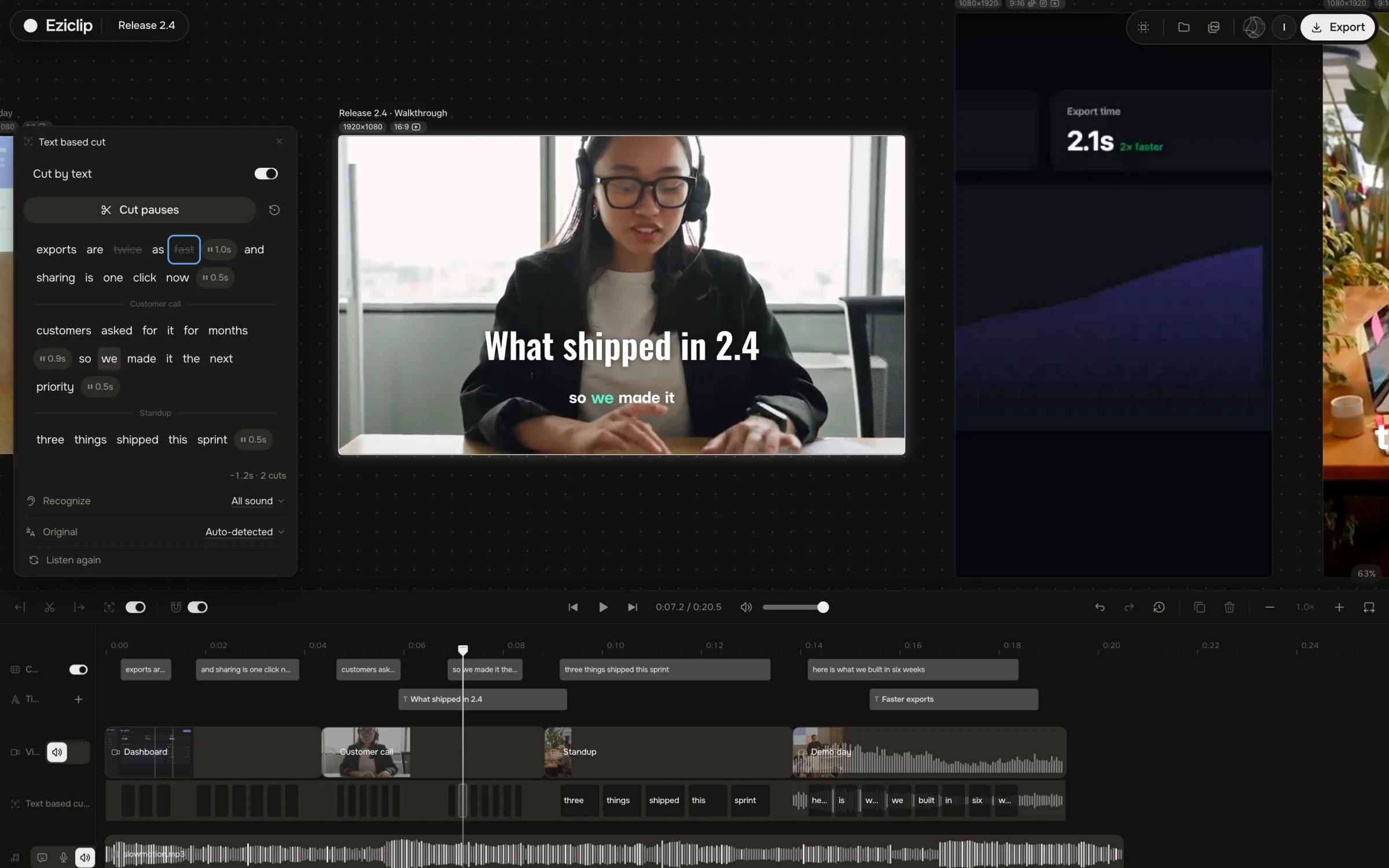
Cut by text: strike a sentence in the transcript and that stretch leaves the timeline. You edit the video like a doc.
Half of it is dead air
Remove pauses finds every gap and “um” and cuts them in one pass — the take tightens without scrubbing.
Nobody watches Slack with sound on
Turn on captions: word-timed subtitles are burned into the exported MP4, so it reads with the sound off.
Release notes need the words too
Studio transcribes the take on your machine — copy the text straight into the changelog.
LinkedIn wants 1:1, X wants 9:16
Export the same edit as 16:9, 1:1, 4:5 and 9:16 in one go — no re-cutting per feed.
The file won’t paste into Slack
Export Optimized, or run Compress video: the file shrinks in your browser and nothing uploads.
Cut the demo three ways
Side by side with what you use now
Choose Eziclip if
You don't want Pro effects to bring the watermark back
You want your footage private, not uploaded to CapCut's cloud
You want your own AI agent to edit the project
 Choose CapCut if
You want a huge library of premium templates and effects
You want AI avatars, AI video generation or the phone app
Quick tools your agent runs too
Questions
Record the flow with any screen recorder, open the file in Eziclip Studio and let it transcribe. Delete the sentences you don’t need, remove pauses, add captions and a title, then export an MP4. A two-minute demo usually takes ten to fifteen minutes.
Yes. Studio is built for people who edit a few times a month. Cutting works on the transcript, captions are one switch, and your AI agent can run the whole edit from a short brief.
Not yet. Record with QuickTime, Loom, OBS, Screen Studio or Cap, then edit the file here. Studio can record a voiceover on top.
Yes. Every export is free, full quality and without a watermark, with no monthly limit. Only agent automation has a cap on the free plan: 10 agent tasks per rolling 30 days. Plus is $9 a month for unlimited.
Yes. Duplicate the edit into 16:9, 9:16, 1:1 or 4:5. Each format stays on the same board, so you can check framing side by side before you export.
Also built for
Make the next one today
Free Studio for you and your agent. No watermark, no export limit.